Fun trivia
Three memorable details to notice while playing Super Mario World.
Story and late-game spoilers.
Original SNES game and its emulated releases. Controls use SNES button labels. Super Mario Advance 2 differences are outside this guide.
Shell colour changes the ride

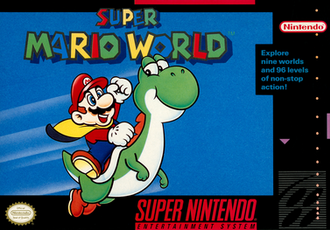
Red, blue and yellow shells give Yoshi different effects. The object in his mouth can be as important as the jump you are attempting.
An exit is not a level
The celebrated 96 count refers to exits. Secret goals let a single course contribute more than one discovery.
A switch reaches beyond its room
Switch Palace blocks appear elsewhere after activation. A short side route can make many later areas easier to explore.
A switch affects places you already know
Switch Palaces make selected outlined blocks solid elsewhere in Dinosaur Land. The effect reaches beyond the palace’s own short challenge, changing supplies, safe footing and sometimes route possibilities in familiar courses. Remembering a block outline therefore becomes a small form of future planning. A return visit can feel easier for a concrete world-state reason, even when Mario’s current power-up and the enemies in the course are unchanged.
The map hides an extra network

Star World’s entrances connect distant parts of Dinosaur Land, while its secret exits point toward the Special Zone. These routes make the overworld itself a discovery puzzle rather than only a display of completed levels. Finding an entrance and fully resolving the associated course are different steps. This structure gives a completion run an interesting geography: a small keyhole inside a stage can change travel across the entire map.
From the game’s data
- The ending’s cast of enemies spells the Jumping Piranha Plant “PIRHANA PLANT”, and puts quotation marks around “BOO”: “BOO” BUDDIES and THE BIG “BOO”.
- When the Special Zone has been beaten, the game loads a different graphics bank (GFX31) in place of one of its two standard sprite banks (GFX01): that swap is what gives the Koopas and other enemies their new look.
- Morton, Roy and Ludwig are not sprites. When their battle starts, the game converts their graphics bank into Mode 7 tiles, a normal and a mirrored copy of each, and draws them on the background layer, as it does for Bowser in his Clown Car.
- Yoshi’s head and body are copied into video memory from a separate graphics bank as he moves, so two pairs of sprite tiles cover all of his poses.
- Wiggler’s body follows the path its head took: the game records the head’s position every frame and draws each segment where the head was about a quarter of a second earlier.
In the game’s words
The message boxes, as the game spells them.
Welcome! This is Dinosaur Land. In this strange land we find that Princess Toadstool is missing again! Looks like Bowser is at it again!
Hello! Sorry I'm not home, but I have gone to rescue my friends who were captured by Bowser. - Yoshi
Hooray! Thank you for rescuing me. My name is Yoshi. On my way to rescue my friends, Bowser trapped me in that egg.
The red dot areas on the map have two different exits. If you have the time and skill, be sure to look for them.
There are five entrances to the Star World in Dinosaur Land. Find them all and you can travel between many different places.
-POINT OF ADVICE- The big coins are Dragon Coins. If you pick up five of these in one area, you get an extra Mario.
Use Mario's cape to soar through the air! Run fast, jump, and hold the Y Button. To keep balance, use left and right on the Control Pad.
To do a spin jump, press the A Button. A Super Mario spin jump can break some of the blocks and defeat some of the tougher enemies.
When you stomp on an enemy, you can jump high if you hold the jump button. Use Up on the Control Pad to jump high in the shallow water.
-POINT OF ADVICE- To pick up a shell, use the X or Y Button. To throw a shell upwards, look up and let go of the button.
-POINT OF ADVICE- You can hold an extra item in the box at the top of the screen. To use it, press the SELECT Button.
You can slide the screen left or right by pressing the L or R Buttons on top of the controller. You may be able to see further ahead.
If you are in an area that you have already cleared, you can return to the map screen by pressing START, then SELECT.
-POINT OF ADVICE- This gate marks the middle of this area. By cutting the tape here, you can continue from close to this point.
Press Up on the Control Pad while jumping and you can cling to the fence. To go in the door at the end of this area, use Up also.
This is a Ghost House. Can you find the exit? Hee, hee, hee... Don't get lost!
-POINT OF ADVICE- One of Yoshi's friends is trapped in the castle by Iggy Koopa. To defeat him, push him into the lava pool.
It is possible to fill in the dotted line blocks. To fill in the yellow ones, just go west then north to the top of the mountain.
Here, the coins you collect or the time remaining can change your progress. Can you find the special goal?
You get Bonus Stars if you cut the tape at the end of each area. If you collect 100 Bonus Stars you can play a fun bonus game.