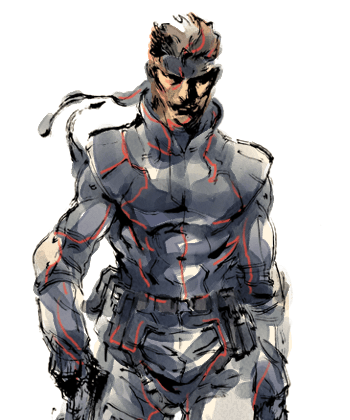
Inventory reference: weapons and support gear
A quick lookup for core tools in the original Shadow Moses mission.
Original Metal Gear Solid campaign. Not The Twin Snakes. Konami’s Master Collection manual is used for shared mechanics; button mappings vary.
| Entry | Role or use |
|---|---|
| SOCOM | Handgun |
| FAMAS | Automatic rifle |
| PSG1 | Sniper rifle |
| Nikita | Guided missile |
| Stinger | Lock-on missile launcher |
| Chaff and stun grenades | Different disabling tools |
| Rations | Recovery |
| Card keys and thermal goggles | Access and visibility |
SOCOM

Handgun. A suppressor reduces firing noise when fitted. A quiet shot still leaves visual consequences, so choose the firing position before attacking.
FAMAS

Automatic rifle. Useful when sustained fire is appropriate. Short controlled use helps avoid exhausting ammunition during a chaotic encounter.
PSG1

Sniper rifle. Suited to aimed long-range encounters. Prepare the required support items and position before entering a sniper exchange.
Nikita

Guided missile. Steer it through a planned route while Snake remains vulnerable at the launch point. Electronic interference can disrupt guidance.
Stinger

Lock-on missile launcher. Hold the target long enough to obtain a lock when appropriate. Avoid spending a missile because you fired before the aiming state was ready.
Chaff and stun grenades

CHAFF.G — original game inventory icon, sprite or extracted model. .

STUN.G — original game inventory icon, sprite or extracted model. .
Different disabling tools. Chaff targets electronics; stun grenades temporarily incapacitate enemies. Carry the one that matches the obstacle instead of treating the two as interchangeable.
Rations

Recovery. Use manually or keep equipped for automatic emergency use. Check quantity after a boss and replenish before the next sustained encounter.
Card keys and thermal goggles

CARD LV1 — original game inventory icon, sprite or extracted model. .

THERM.G — original game inventory icon, sprite or extracted model. .
Access and visibility. Cards open compatible security doors when equipped; thermal goggles expose heat signatures. Swap away from recovery gear only for as long as the task requires.
Choose equipment for the next room
Before crossing an electronic surveillance area, consider chaff and where you will move during its short effect. For a card-locked door, equip the appropriate key card instead of expecting ownership alone to open it. Keep rations ready when recovery is the immediate need, then switch back to the access tool. These choices are small but explain many situations where a correct item appears to do nothing.