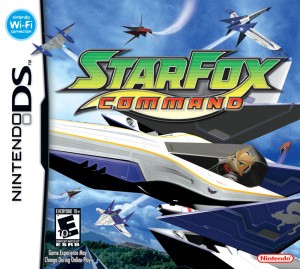
Star Fox Command touch controls and combat timer tips
Move between map decisions and timed dogfights confidently.
Edition covered
Original Nintendo DS game. Official Nintendo Wi-Fi Connection service ended in 2014; the campaign and local wireless modes are the relevant original-hardware play options.
Separate map planning from flight
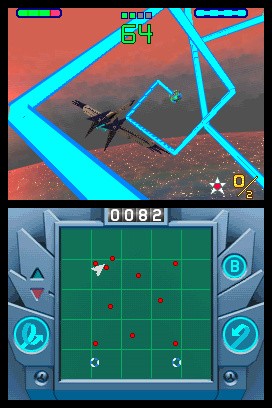
The touch screen draws strategic routes between battles, then steers the aircraft during combat. Check which screen state is active before making a gesture.
| Action | Control concept | Use |
|---|---|---|
| Steer | Move stylus on the touch screen | Track a target |
| Laser fire | Assigned fire button | Damage opponents |
| Bomb | Drag to the target area | Strike a cluster |
| Loop or U-turn | On-screen maneuver controls | Reposition quickly |
Choose an inversion setting first
The control options determine how vertical stylus movement affects flight. Practice turning and leveling out before attempting a difficult timer target.
| Situation | Response | Benefit |
|---|---|---|
| Target behind you | Use radar and a controlled turn | Less wasted flight |
| Several enemies together | Consider a bomb | Faster group clear |
| Low time | Prioritize objective targets | Avoid an unnecessary detour |
| New ship | Check weapon style | Avoid expecting a different lock-on |
Shoot required enemies promptly
Combat encounters use a timer and named targets. Optional circling wastes time if the objective enemies remain untouched.
Use the radar to reacquire targets
A missed pass is easier to correct with the radar than with repeated blind turns. Line up a clear approach before firing again.
References
| Reference | Website |
|---|---|
| Detailed topic reference | www.nintendo.com |
| Game reference | strategywiki.org |
| Nintendo service notice | en-americas-support.nintendo.com |