
Metroid Prime Hunters controls, scanning and campaign survival
Learn the retail game’s touch aiming and exploration rhythm.
Edition covered
Full 2006 Nintendo DS game, distinct from the First Hunt demo. Official Nintendo Wi-Fi Connection ended in 2014; the campaign, local wireless play and bots remain the original offline scope.
Choose a comfortable control preset
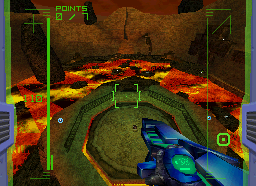
The game supports stylus-oriented and button-oriented options with handedness choices. Test movement and jumping before entering a prolonged firefight.
| Tool | Purpose | Useful check |
|---|---|---|
| Scan Visor | Read objects and lore | Unfamiliar devices |
| Map | Track room connections | Before a return route |
| Morph Ball | Enter small passages | Low tunnels |
| Gunship | Save and recover | After an expedition |
Scan before leaving an unfamiliar room
Alimbic devices and messages explain doors, artifacts and the final mystery. A scan is useful evidence, not just a collectible percentage.
| Problem | Response | Reason |
|---|---|---|
| Aim feels awkward | Change control preset | Comfort matters over long fights |
| Weapon ammo low | Use Power Beam when suitable | Preserve universal ammunition |
| Enemy controls the doorway | Strafe into open space | Avoid trapped movement |
| Escape timer active | Follow the planned return route | Skip unnecessary fights |
Use Morph Ball routes deliberately
Small passages and tunnels provide routes that ordinary movement cannot access. Check the map before rolling into a dead end during a timed escape.
Return to the gunship to save
A successful expedition should end with recorded progress. After an Octolith escape, secure the result before beginning another risky trip.
References
| Reference | Website |
|---|---|
| Retail game reference | www.metroidwiki.org |
| Detailed topic reference | www.nintendo.com |
| Nintendo Wi-Fi service notice | en-americas-support.nintendo.com |