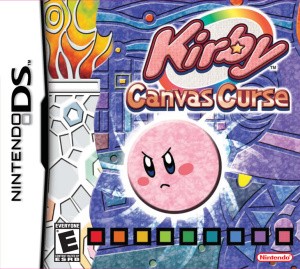
Kirby: Canvas Curse rainbow-line controls, ink and Copy Abilities
Guide the ball with careful drawing and taps.
Edition covered
Original Nintendo DS release, called Kirby: Power Paintbrush in Europe. This is the 2D touch-controlled game, not Wii U’s Kirby and the Rainbow Curse.
Draw a path rather than dragging Kirby
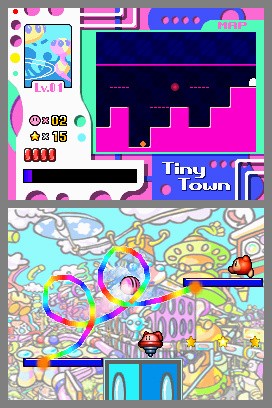
Rainbow Lines create slopes, ramps and barriers. Kirby rolls along them, so the shape and angle determine where momentum carries him.
| Input | Effect | Useful moment |
|---|---|---|
| Draw a line | Create a temporary route | Cross gaps or climb |
| Tap Kirby | Dash or use current power | Break through a safe target |
| Tap an enemy | Stun a susceptible target | Prepare safe contact |
| Draw a barrier | Intercept suitable hazards | Protect a narrow approach |
Refill ink on solid ground
The ink meter limits continuous drawing. Bring Kirby to stable ground between long airborne sections and avoid spending the whole meter on an unnecessary loop.
| Problem | Cause | Fix |
|---|---|---|
| Ink runs out mid-gap | Too much continuous drawing | Reach ground before another long line |
| Kirby rolls past a turn | Too much momentum | Use a gentler curve |
| Dash sends Kirby into danger | Action began too close to hazard | Create safe runway first |
| Ability changes movement | Power has a special action | Test it on safe ground |
Tap Kirby for an action
Tapping normal Kirby triggers a dash; copied powers change that action. Learn the equipped ability before making a precise jump beside a hazard.
Stun enemies before contact
Tapping enemies can stun them. Kirby can then strike suitable enemies to obtain a power, making the stylus both a route-building and combat tool.
References
| Reference | Website |
|---|---|
| Game and mode reference | wikirby.com |
| Nintendo instruction booklet | m1.nintendo.net |