
Explore Alexandria and follow the moogles
Learn field icons, save points and Active Time Events before the journey expands.
Original 2000 PlayStation game across four discs. The screenshots include the original PAL Spanish localization; character names and menu labels can differ by language. Remaster boosters, autosaves and later graphical changes are outside this guide.
Search for field icons
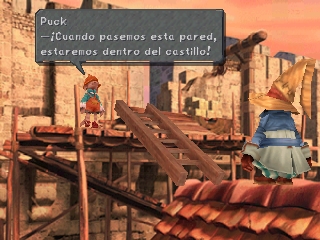
Explore Alexandria slowly during the opening. An exclamation mark appears when there is something to examine, including a hidden pickup or usable ladder; a question mark indicates a choice. Use the confirm button to inspect these places instead of assuming that every item is in a visible chest. If your character is hard to locate against a detailed background, Select temporarily brings back the pointing HERE icon.
Save through a moogle
Certain field moogles offer saving, and you can call the world-map moogle with Square when you are traveling on the map. Use these opportunities before entering an unfamiliar dungeon or ending a session. The original game requires memory-card space and does not provide the later remaster's autosave conveniences. At a disc change, follow the game's prompt and replace the requested disc without switching off the console.
Watch Active Time Events
When the ATE indicator appears, press Select to view an event showing another character's activity. Available scenes can change with the events you have already watched and the places you visit. Read the choices before moving on if you enjoy the cast's side stories. Talk to people again after a major event, and remember local notices: they can explain a town activity or give a clue that becomes useful during the next stage of the journey.
Press Select for help in menus and battles; Mogster explains many commands directly in the original game.
Picture details
Game artwork belongs to its respective rights holders.