
Wario Land: Shake It! / Wii Remote controls and Earthshake Punch
Wario Land: Shake It! Wii Remote controls and Earthshake Punch
Match button, shake and tilt inputs to Wario’s current action.
Edition covered
Original Wii game, titled Wario Land: The Shake Dimension in Europe and Australia. Level names in these tables use the North American release.
Hold the Wii Remote sideways
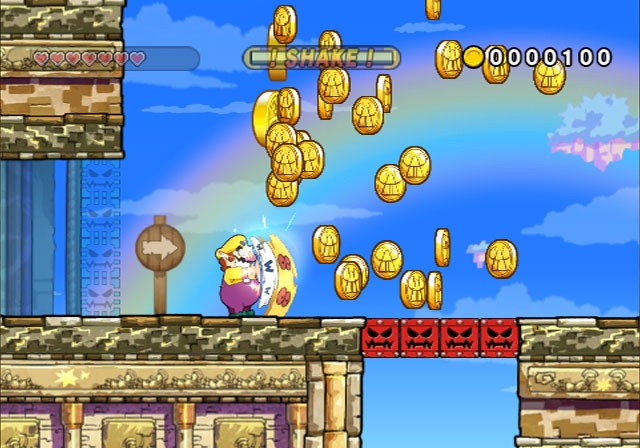
Movement and jumping use a familiar platform-game layout. Motion inputs add actions rather than replacing the main movement controls.
| Action | Control | Result |
|---|---|---|
| Jump | 2 Button | Clear gaps and reach platforms |
| Dash Attack | 1 Button | Shoulder-charge targets |
| Ground Pound | Down while airborne | Strike the floor |
| Earthshake Punch | Shake with full meter | Stun and affect scenery |
| Aim a throw | Hold 1 and tilt | Choose launch direction |
Stun before picking up a target
Wario can lift suitable enemies and objects. A controlled grab gives time to shake out a reward or aim a throw.
| Target | Action | Reward or use |
|---|---|---|
| Coin Bag | Shake repeatedly | Release money |
| Suitable enemy | Shake | Can release garlic |
| Throwable enemy | Aim and throw | Hit a target |
| Caged Merfle | Break the cage | Starts the escape sequence |
Watch the Shake Meter
Earthshake Punch needs a full meter. Wait for it to refill before relying on another room-wide stun or environmental trigger.
Tilt deliberately when aiming
A held object follows the throw angle. Set the arc before releasing so it reaches the switch or breakable target.
References
| Reference | Website |
|---|---|
| Game reference | www.mariowiki.com |
| Nintendo original overview | www.nintendo.com |
| Detailed topic reference | www.mariowiki.com |