
Undertale beginner guide: ACT, mercy, saving and the Ruins
Understand the encounter loop before deciding how to approach the Underground.
Original PC Undertale, normal mode. Console-exclusive content, Deltarune and the unfinished Hard Mode are outside scope. Route guides contain progression spoilers; the character guide avoids late-game identity reveals.
Start with observation instead of damage
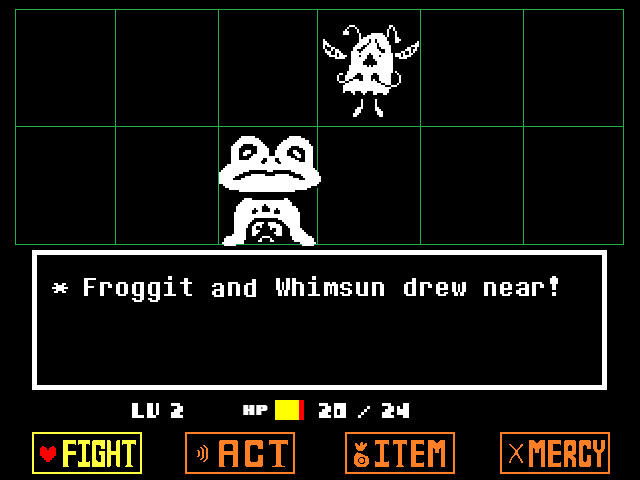
In an encounter, ACT opens options specific to the selected monster. Read Check and the changing battle text, then try a response that fits what the monster seems to want. Different enemies need different actions. A peaceful approach still involves surviving their attacks while you discover the solution.
Use MERCY when the encounter allows it
A yellow monster name normally signals that Spare will work, although the color can be changed through a Ruins conversation. Some bosses follow special rules and require persistence before the usual signal appears. Flee is another possible exit, but it is unavailable in many encounters and is not always successful.
Touch SAVE points before a difficult stretch
The shining stars let you record progress and restore health. Use them before continuing into an unfamiliar route, and check your inventory for healing food. Reaching a new area does not mean every previous conversation was saved automatically; returning from a defeat usually loads the last recorded SAVE.
Explore the Ruins at a comfortable pace
Toriel introduces switches, spikes and the first encounter lessons. Inspect objects, read signs and speak with the monsters who offer advice. If you want a peaceful route, avoid killing for levels simply because another role-playing game would reward it. Equipment and food can still support survival while the EXP counter stays unchanged.
Hold the cancel button during a dodging phase when you need slower, more precise movement.
Picture details
Game artwork belongs to its respective rights holders.