Tom Clancy's Splinter Cell cameras and alarms: body hiding, lights and mission restrictions
Avoid the common causes of original Splinter Cell mission failure and choose the right camera response.
Edition covered
The original Splinter Cell campaign, using the PC/Xbox mission structure. Ubisoft Steam screenshots show the original PC version. PS2-specific extra content and later remake mechanics are not included.
Check the camera before crossing
Watch its orientation and coverage from safety. Some cameras can be destroyed, while others need a timed crossing or the jammer; firing blindly can waste ammunition and expose Sam.
| Problem | Possible response | Check first |
|---|---|---|
| Ordinary camera | Avoid its view or disable if possible | Camera type and mission rules |
| Armored camera | Use cover or the jammer | Available equipment and timing |
| Bright crossing | Use another route or change lighting | Who can hear a broken light |
| Exposed body | Move and conceal it | Nearby patrols and camera coverage |
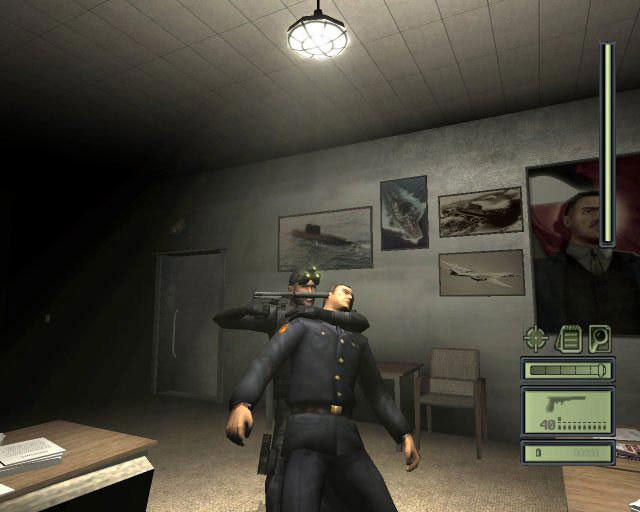
Do not leave a body on the route
Move incapacitated guards into a concealed dark position. The original game can punish poor body placement across its mission progression, so tidy up before leaving a completed section.
| Action | Why it helps | Follow-through |
|---|---|---|
| Read OPSAT objectives | Identifies special restrictions | Recheck after Lambert’s update |
| Scout doorways | Avoids immediate face-to-face contact | Wait for a patrol gap |
| Move quietly | Reduces investigation | Slow down before reaching the guard |
| Clear body exposure | Prevents discovery | Inspect the hiding place before leaving |
Separate suspicion from a full alarm
A guard investigating a sound is an opportunity to stop and hide, not necessarily a reason to start shooting. Breaking contact early can prevent the situation escalating to a mission-ending alarm.
Save before a new security problem
On PC, keep a save before entering an unfamiliar camera corridor or restricted-force area. Test a deliberate route and reload a failed attempt instead of consuming the remaining alarm allowance.
On PC, keep a save before entering an unfamiliar camera corridor or restricted-force area.
References
| Reference | Website |
|---|---|
| Tom Clancy's Splinter Cell publisher listing | store.steampowered.com |
| Official original PC manual | store.steampowered.com |
| Original game walkthrough | www.gamespot.com |