
Dead Space 3 Combat and RIG: Stasis, Kinesis and inventory
Control enemies and read the suit without exposing Isaac in menus.
Edition covered
Original 2013 Dead Space 3 campaign and original PC publisher pictures. Awakened is a separate story expansion. Co-op-only missions are distinguished from the main solo-playable campaign.
Control tools
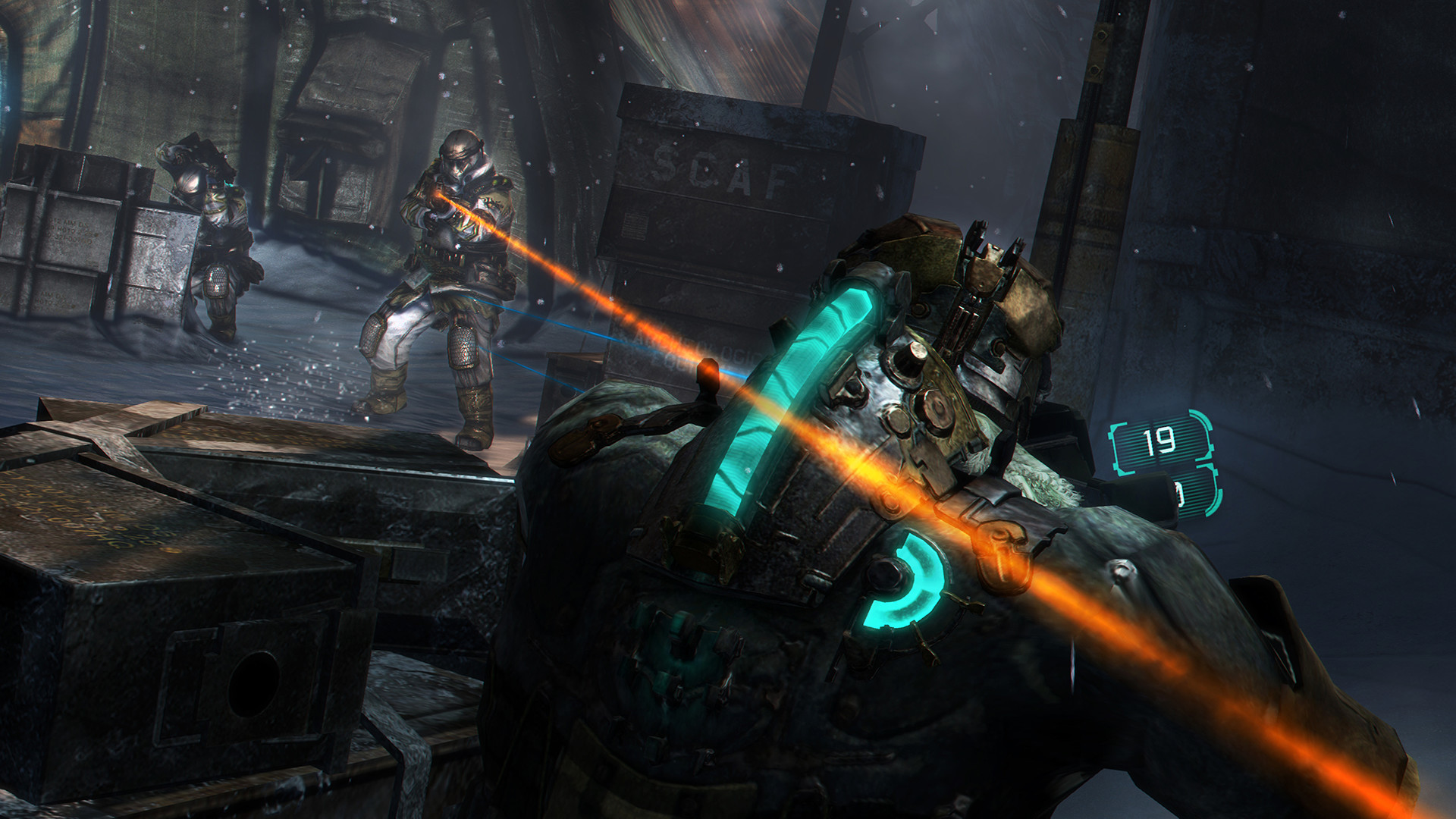
Stasis slows enemies and moving hazards. Kinesis moves or throws suitable objects and operates certain mechanisms. Both tools extend the combat options beyond firing ammunition, especially when an enemy is closing faster than a weapon can reload.
| Tool | Combat use | Exploration use |
|---|---|---|
| Stasis | Slow an approaching enemy | Slow fast machinery. |
| Kinesis | Throw a suitable object | Move obstacles. |
| Kinesis torque | Operate a mechanism | Turn designated locks or doors. |
| Melee or stomp | Break nearby containers | Collect the revealed supplies. |
RIG readings
Isaac's spine shows health and the nearby curved indicator shows Stasis. The RIG inventory is a live interface: opening it does not pause the game. Find a cleared space before sorting items or reading a long database entry.
| Display | What it shows | Response |
|---|---|---|
| Spine | Health reserve | Use a Med Pack when needed. |
| Curved Stasis display | Remaining charge | Recharge before relying on another shot. |
| Inventory | Carried supplies | Sort in safety; the world continues. |
| Mission screen | Active and optional objectives | Set the correct Locator target. |
Aim for useful body parts
Necromorph encounters reward removing dangerous limbs and interrupting movement. Do not spend every round on the center of a durable body. Pair precise shots with Stasis when an enemy's movement makes dismemberment difficult.
Use the Locator deliberately
The mission screen distinguishes primary and optional objectives. Selecting an objective changes the Locator target. If the guide points away from the intended side mission, check which objective is active before assuming the route is wrong.
References
| Reference | Website |
|---|---|
| Publisher game description and pictures | store.steampowered.com |
| Original publisher manual | eaassets-a.akamaihd.net |